Registration
To plan routes in RouteQ, register your company in the service first.
Warning
If your company already has a RouteQ account, ask the administrator to add you as a manager. Don't register the company again.
Before you register
Create a separate account to access the service. Don't use your personal account: you may need to share the username and password with your co-workers later.
- Go to Yandex ID.
- Create a new account. For more information, see Account registration.
This account will have administrator rights and enable you to grant access to other users. The service access key will be linked to it automatically.
Register using a corporate email address
To use a corporate email address as a login, create an account with Yandex ID here. In this case, our system will automatically create a simplified account that you'll be able to use for registration with the service. Full registration isn't recommended.
From time to time Yandex ID would offer you to do the following to lift restrictions:
- Go to the Personal data or Security section.
- Link a mobile phone number via SMS.
- Add a backup email address.
We recommend that you ignore these suggestions. Upgrading to a full account is intended for personal use, such as making payments via Yandex Pay or storing data on Yandex Disk.
Register a new company
-
Go to the service.
-
Click Log in to log in with your Yandex ID.
-
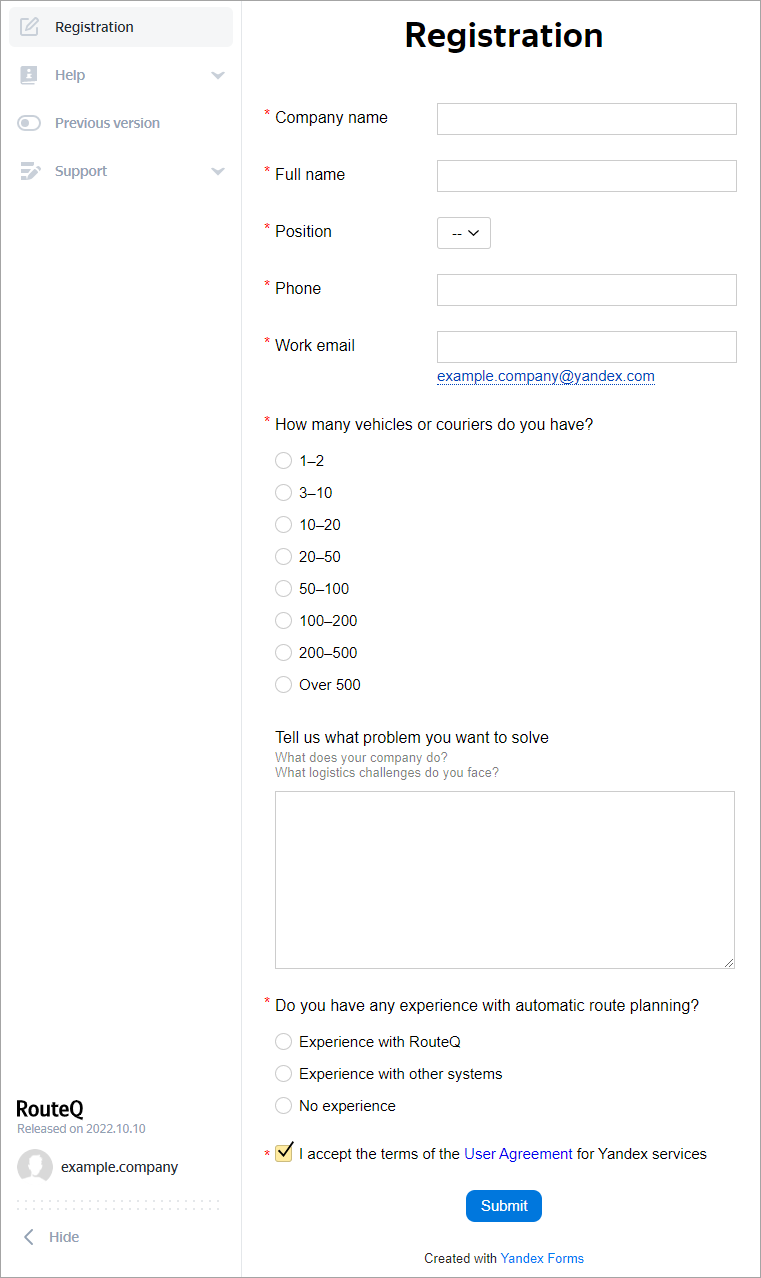
Fill out the registration form. You'll be prompted to fill it out only if your Yandex ID is not linked to any other company.
-
Click Submit. We'll contact you shortly to confirm your company's registration and provide you with trial access to RouteQ.